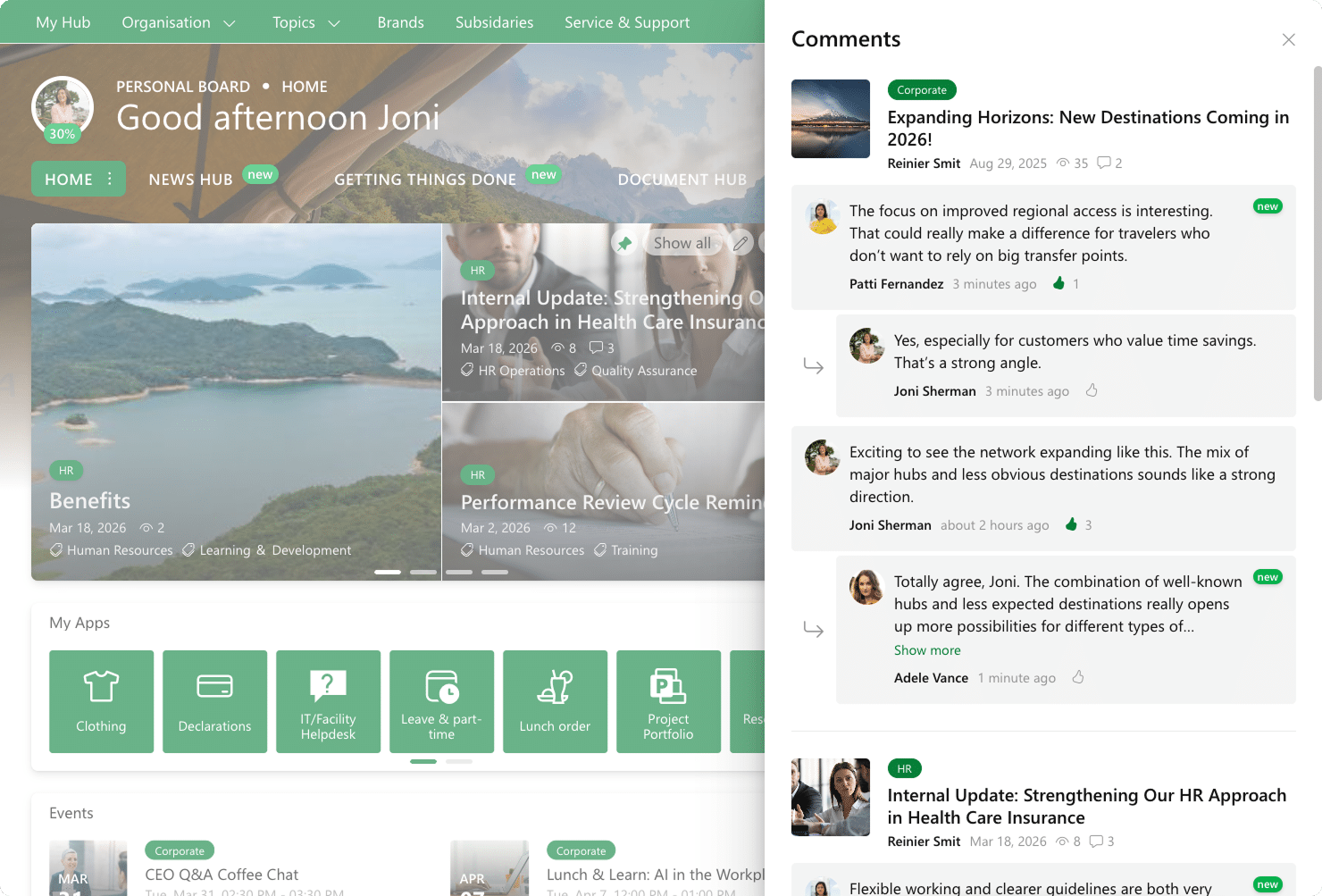
News is not just something you publish. It is something people react to, question, and build on. That is why we added a new comment feature to the News Widget that brings discussion closer to where news is actually consumed.
See new comments at a glance
The News Widget shows a comment count per post, so you can quickly see where discussion is happening. When there are new comments you have not opened yet, a small badge shows the number of unread comments, so you can catch up without having to open every post.
Read, like, and catch up in one place
Clicking the comments icon opens a panel that aggregates comments per news post. It includes both new and previous comments, so you can catch up on the full context without losing the thread. New comments are marked with a New label for easy reading, so you can spot what changed right away. Users can read comments, like them, and quickly see what others are saying.
Jump into the post when you want to engage
If you want to respond or continue the conversation, you can open the full news post directly from the panel and add your own comment. It is a smooth flow from reading to reacting, without breaking your rhythm.
Comments that stay close to the news
This update keeps the news feed focused, but makes sure the conversation is never far away. Less switching between pages, more awareness of what people are discussing, and a better way to stay aligned across your organization.